The Brick-Generator calculates the dimensions of a clamping brick from its number of studs and creates a full-size SVG template from them. It is for anyone who prints on bricks or designs artwork to fit a brick and needs an exact surface for it.
Open the tool: https://inkbuddy.app/tools/brick-generator/?lang=en
¶ Step by step
-
Open the Brick-Generator.
-
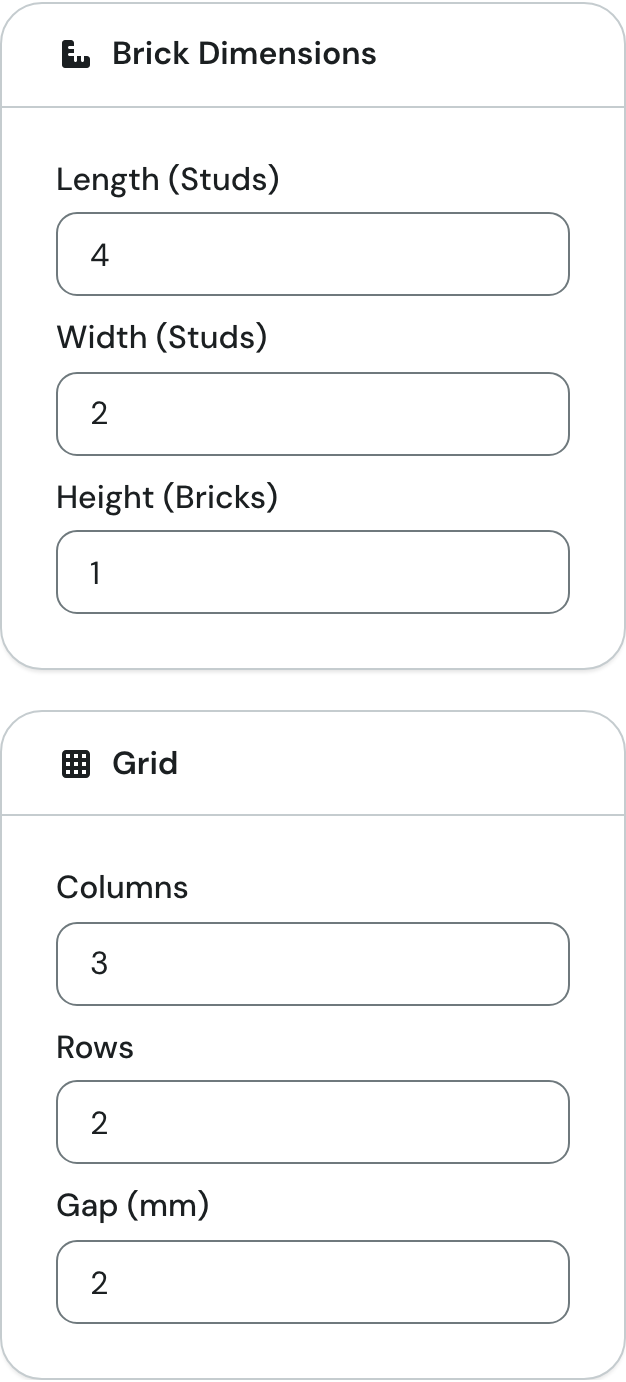
Under Brick Dimensions, enter how many studs the brick is long and wide, and how tall it is. In the example: length 4, width 2, height 1.
-
If you want several surfaces in one file, set the number of columns and rows and the gap between them under Grid. In the example: 3 columns, 2 rows, 2 mm gap. For a single surface, leave 1 / 1 / 0.
-
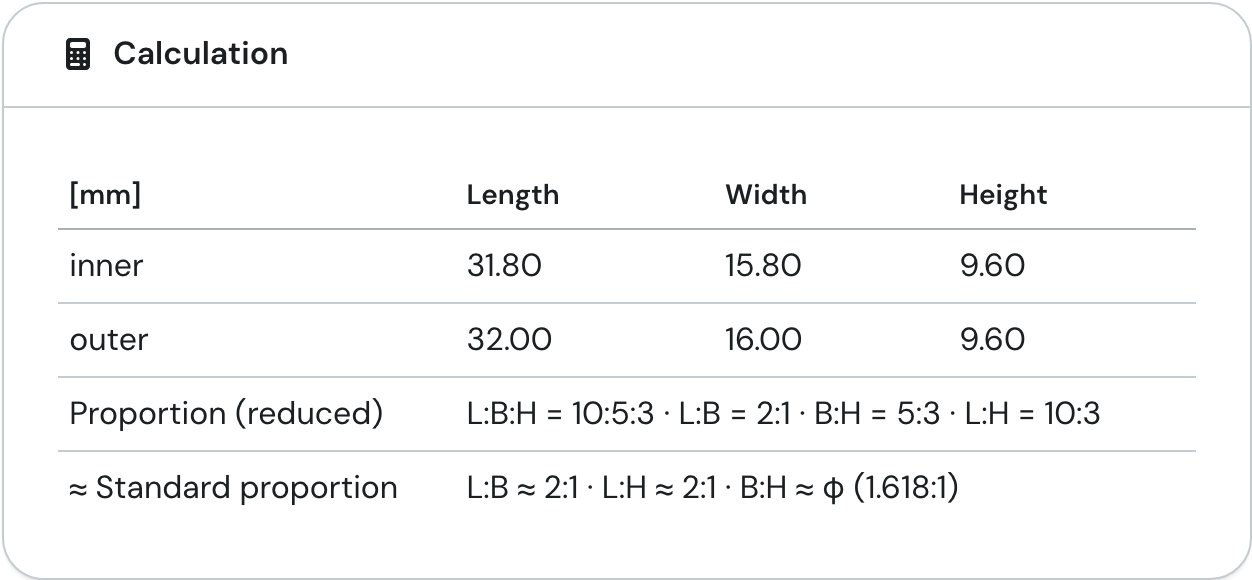
Read the dimensions in the Calculation card. For the example, the table shows 32.00 × 16.00 × 9.60 mm on the outside.
-
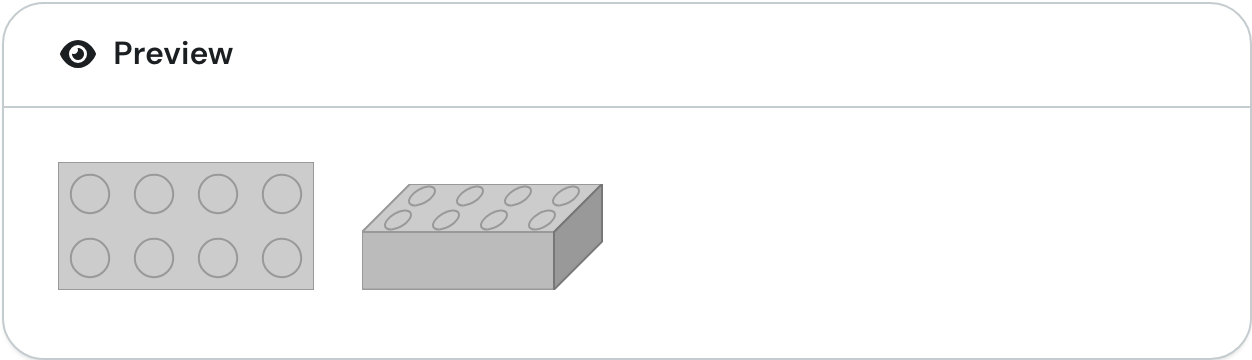
Check the Preview to see whether the studs are where you expect them: the top view on the left, an angled view on the right.
-
Under Downloads, click the surface you need. Your browser downloads an SVG file straight away.
¶ Fields and settings
Brick Dimensions
| Field | Meaning | Typical value |
|---|---|---|
| Length (Studs) | Number of studs along the length. Each stud is 8 mm of outer size. | 1 or more, whole number; example 4 |
| Width (Studs) | Number of studs across the width, also 8 mm each. | 1 or more, whole number; example 2 |
| Height (Bricks) | Height in brick heights. Each brick height is 9.6 mm. | 1 or more, whole number; example 1 |
Grid
| Field | Meaning | Typical value |
|---|---|---|
| Columns | How many times the surface is placed side by side in the file. | 1 to 50 |
| Rows | How many times the surface is placed one below the other in the file. | 1 to 50 |
| Gap (mm) | Empty space between the surfaces, the same for columns and rows. There is no gap at the edge of the file. | 0 or more, in steps of 0.1; example 2 |
Values that are too small are set to the minimum (1, or 0 for the gap), and columns or rows above 50 are set to 50. There is no upper limit for length, width and height.
Calculation (display only, all sizes in mm)
| Row | Meaning |
|---|---|
| inner | Outer size minus 0.2 mm tolerance for length and width. The height stays the same. |
| outer | Length and width: studs × 8 mm. Height: brick heights × 9.6 mm. |
| Proportion (reduced) | The ratio length : width : height, reduced as far as possible, plus the three pairs on their own. Example: L:B:H = 10:5:3 (L is length, B is width, H is height). |
| ≈ Standard proportion | The common ratio (for example 1:1, 2:1, 4:3, 16:9 or the golden ratio φ) that each pair is closest to. Useful when you look for artwork in a matching format. |
¶ Result
You get an SVG file, a vector graphic that scales without loss of quality. It is set up in millimetres, so it has the real size of the surface. Which surface you get depends on the button:
| Button | Surface | File name (example) |
|---|---|---|
| Tile (Length × Width) | top | Tile_4x2.svg |
| Brick (Length × Height) | long side | Brick_4x1.svg |
| Brick (Width × Height) | short side | Brick_2x1.svg |
With more than one column or row, the grid is appended to the name, for example Tile_4x2_Grid_3x2_2.svg (3 columns, 2 rows, 2 mm gap). The example gives a file of 100 × 34 mm: three surfaces of 32 mm plus two gaps of 2 mm across, two surfaces of 16 mm plus one 2 mm gap down.
Each surface is a grey rectangle; neighbouring rectangles alternate between a lighter and a darker grey so you can tell them apart in a grid. On the tile (top), each rectangle also has a thin red border, 0.1 mm wide, on the edge of the surface. It marks the 0.2 mm tolerance. The side surfaces have no border. The studs from the preview are not in the file; they are only there for checking.
According to the page description, the file is meant as a template for eufyMake Studio: you open or import the SVG there and place your artwork on the surface.
¶ Tips and FAQ
- What is a stud? The round peg on top of the brick. Count them along the length and across the width of the brick.
- Is a flat brick height 1? Yes, "Height (Bricks)" counts whole brick heights of 9.6 mm. The field only takes whole numbers, so there are no half heights.
- Why do inner and outer sizes differ? The tool subtracts 0.2 mm tolerance in total from length and width, not per side. The surfaces in the download use the outer size.
- What does "1 / 1 / 0" mean under Grid? One column, one row, no gap: you get exactly one surface, and the file name has no grid part.
- Can I place surfaces right next to each other? Yes, at a gap of 0 the rectangles touch. The grey tones still alternate so you can see the borders.
- How many surfaces fit in one file? Up to 50 columns by 50 rows. The total size follows from the surface, the count and the gap, as in the example above.